

T01 BMS Monitor User Manual v2.6
Complete guide to monitoring and configuring DS4A Battery Management Systems
Preferences
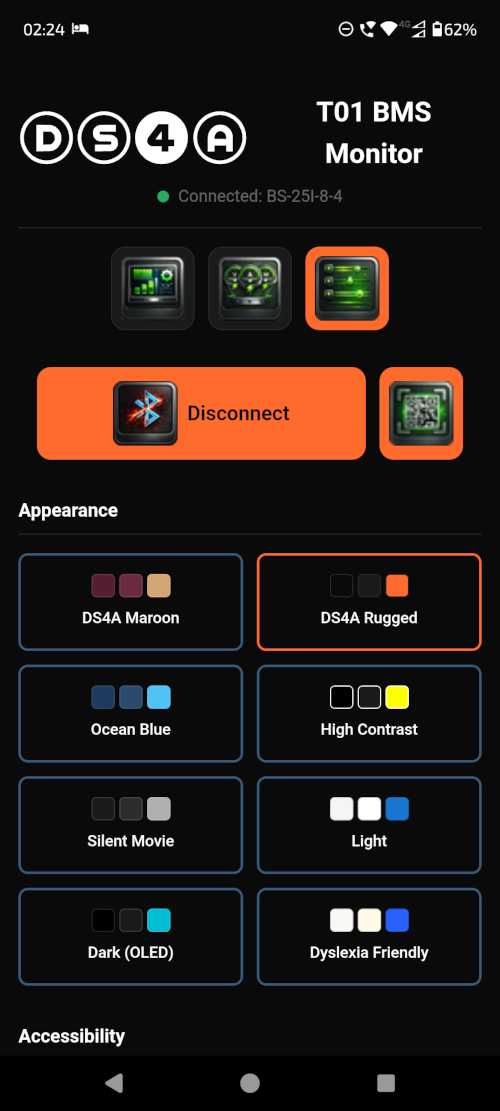
Access preferences by tapping the Preferences icon (sliders) in the navigation bar.
Theme Selection

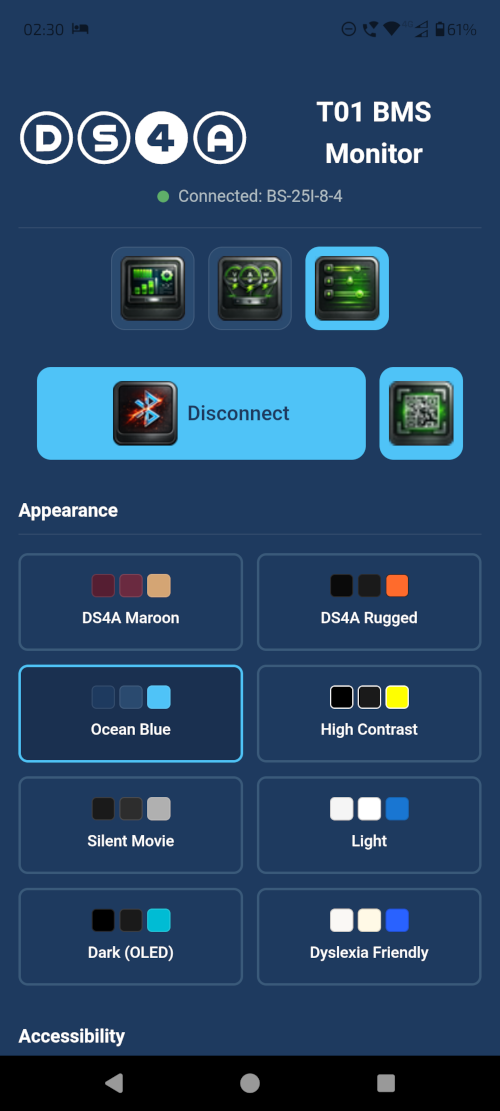

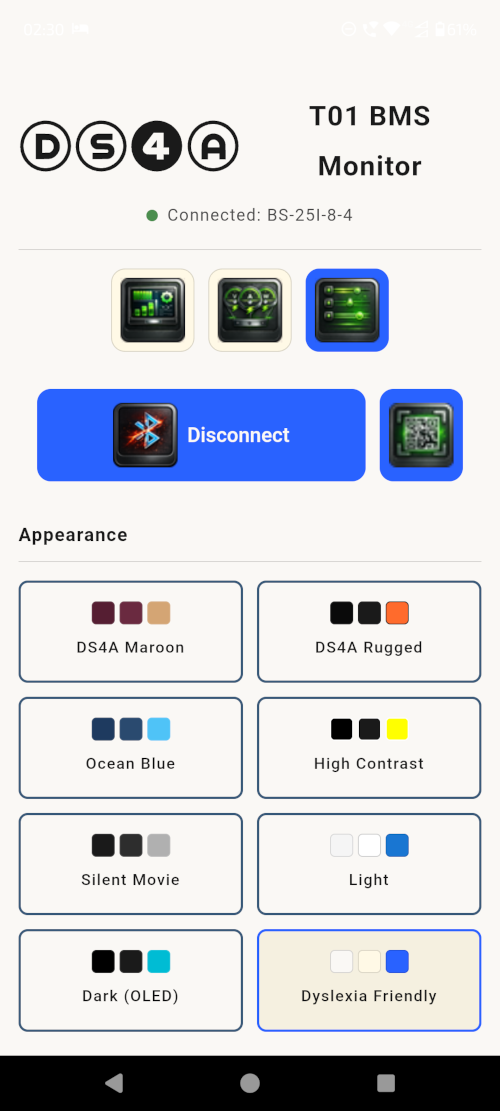
Choose from 8 colour themes to customise your experience:
| Theme | Description |
|---|---|
| DS4A Rugged | Bold orange on deep black (default) |
| DS4A Maroon | Deep maroon with warm accents |
| Ocean Blue | Classic blue theme |
| High Contrast | Bold and Dark |
| Light | Ideal light daytime colours |
| Dark (OLED) | Compliments OLED screens |
| Silent Movie | Greyscale for reduced distraction |
| Dyslexia Friendly | Selected fonts, colours and spacing for easier viewing |
Accessibility Features
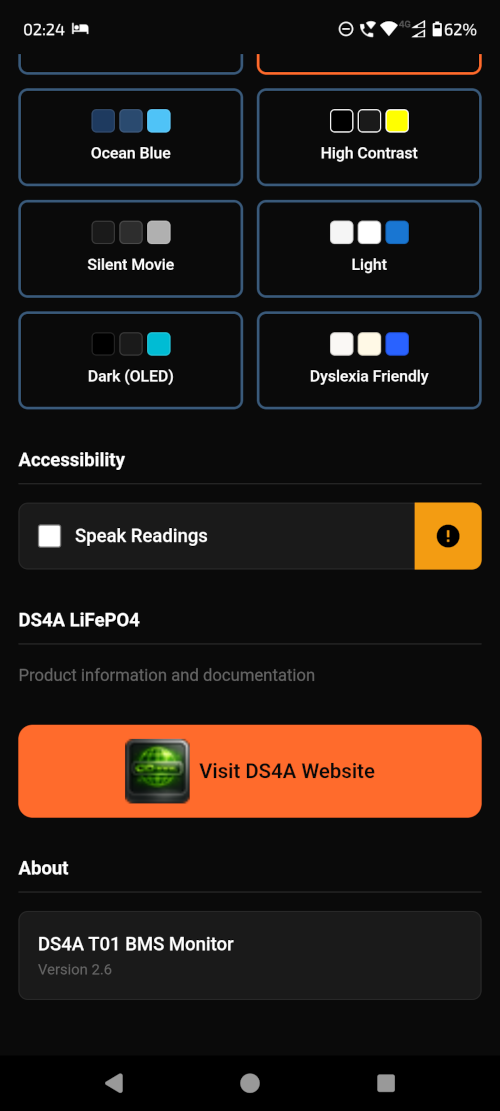
Speech Synthesis
When enabled:
- Tap any dashboard icon to hear the current value spoken aloud
- Theme names are announced when selected
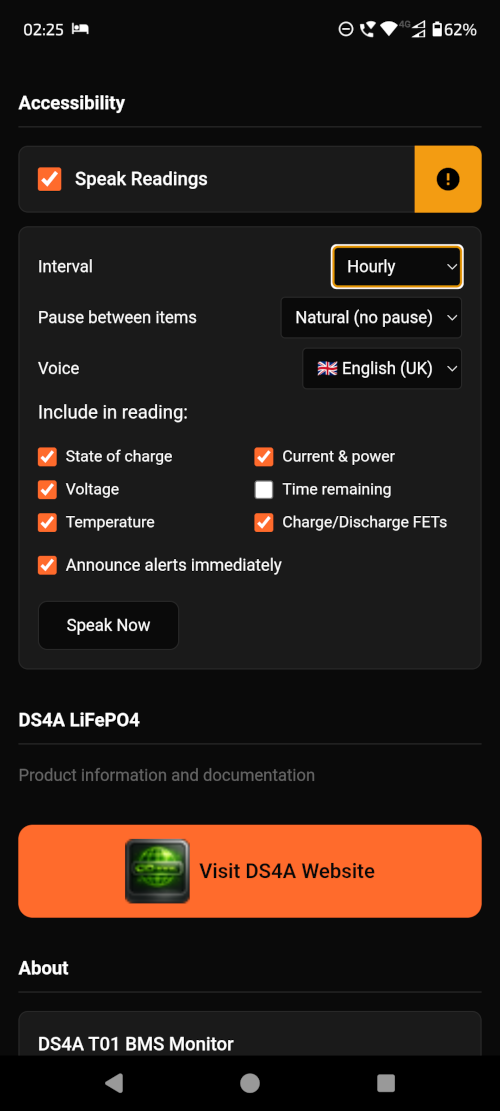
- Configurable speech intervals for automatic readout
Enabling Speech:
- Go to Preferences
- Enable Speak Readings
- Tap icons on the Dashboard to hear values
- Data values auto-repeat interval setting
- Customisable data selections
- UK / US English options
- Selectable pause between data values
- Selection of immediate notification of alerts
Dyslexia-Friendly Theme
- Specialised font selection (OpenDyslexic when available)
- Cream/off-white background reduces visual stress
- Increased letter spacing
- Larger base font size
- Increased line height
Data Export
Exporting Dashboard Readings
- Connect to your BMS
- On the Dashboard, tap the Export button (download icon)
- Choose a sharing method (email, cloud storage, etc.)
- Data is exported in JSON format
Export Data Contents
The export includes:
- Timestamp
- Device name and MAC address
- Pack voltage and current
- State of charge
- All cell voltages
- Temperature readings
- FET status
- Protection status
- All parameter settings